You can get to snapshots using the Play View (home button 🏠) then select <page or page> to access the four footswitch modes. Snapshots is the fourth mode.
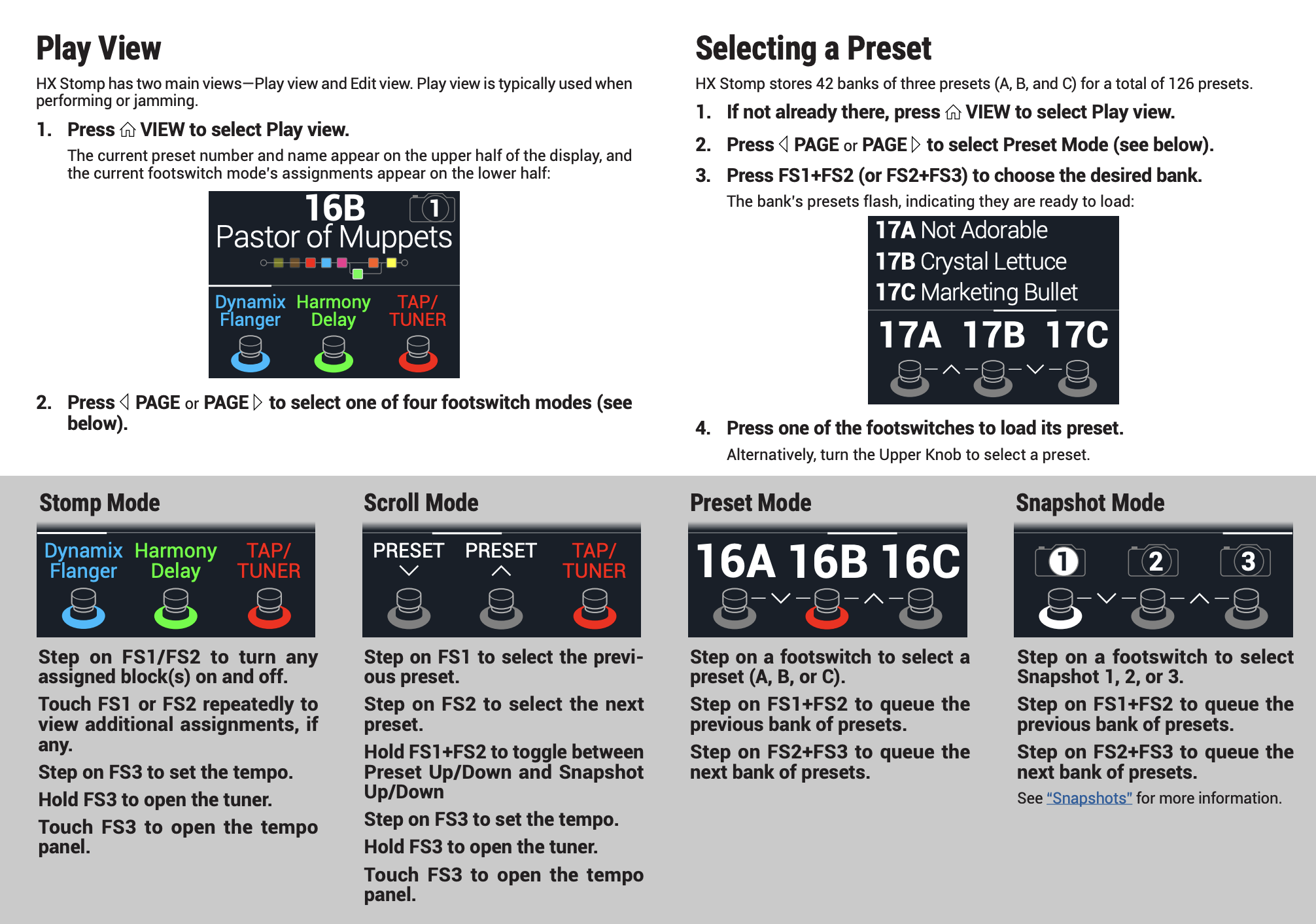
Each of the three snapshots in HX Stomp stores and recalls the state of certain elements in the current preset, including:
• Effect Bypass—The bypass (on/off) state of all processing blocks (The bypass state of the 1 Switch Looper is not stored/recalled via snapshot)
• Parameter Control—The values of any parameters assigned to controllers (up to 64 per preset)
• Command Center—The values of any instant MIDI CC, Bank/Prog, MMC, and HX Preset/Snapshot/Looper messages, plus the state (dim or lit) of any CC Toggle messages. See “Command Center”
• Tempo—The current system tempo, if “Global Settings > MIDI/Tempo” > Tempo Select is set to “Per Snapshot.” (By default, it’s set to “Per Preset”)
Depending on how you configure them, snapshots can act as three variations of the same tone, three drastically different tones, or any combination thereof—all within the same preset. In many cases, a single preset’s snapshots may accommodate all the various tones required for a song.
Line 6 HX Stomp Owner's Manual
Check out my Line 6 Helix/HX Stomp Presets