I did a little research and even ChatGTP didn't give me the correct answer, so I decided to make a post for how to do this.
Check out my Line 6 Helix / HX stomp presets over HERE.
In this example I created two snapshots to switch between a clean (US Princess) amp/cab and a heavy (CaliRectifire) amp/cab.
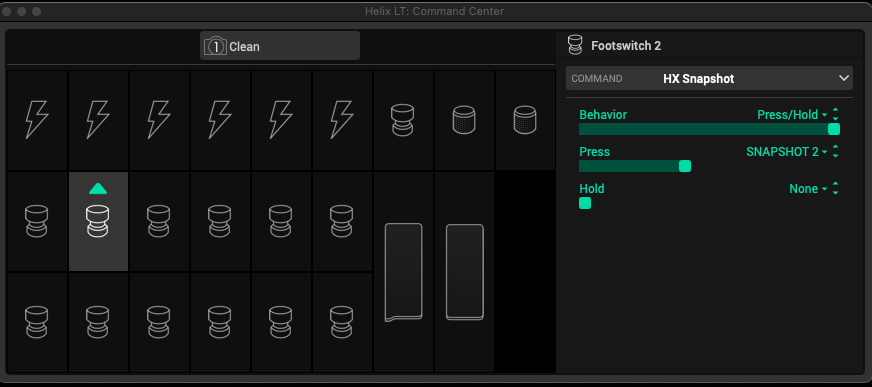
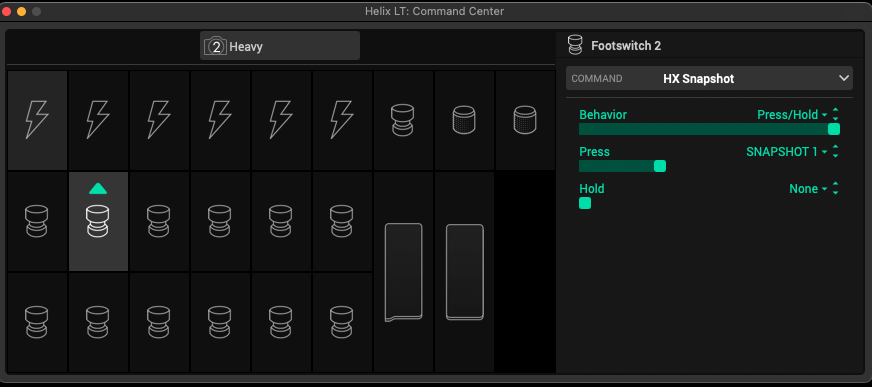
Using the Command Center, for Snapshot 1 (Clean) create a new HX Snapshot command using a Footswitch (2), Behaviour = Press/Hold, Press = Snapshot 2, Hold = None
For Snapshot 2 (heavy) create a new HX Snapshot command using the same Footswitch (2), Behaviour = Press/Hold, Press = Snapshot 1, Hold = None
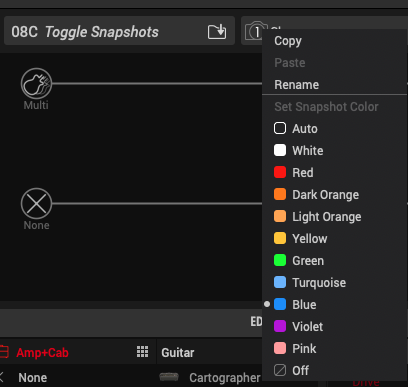
If you want to get fancy, you can rename the snapshots and color them like I did by right clicking each snapshot.
Here's a detailed explanation for snapshots.
For helping you all out, here's my shameless plug again! 😜
Help out a fellow musician and check out my Line 6 Helix / HX stomp presets over HERE!