A hands-on review of the major features in Scaler 3.4, plus real-world testing on timeline scene alignment, insert positioning, and missing slip editing.
What’s New in Scaler 3.4?

Plugin Boutique and Scaler Music just released Scaler 3.4, a major free update that introduces significant new features and UI overhauls aimed at speeding up harmonic exploration and arrangement workflows. The two biggest additions are the brand new Discover and Variations pages, accessible via the updated Suggest icon.
Beyond the headline pages, the update brings Dynamic Sketch Lanes, expanded Explore content, adjustable metronome volume, numerical tempo entry, master dBFS peak metering, and improved chord drag-and-drop behavior across the board.
Major Update Highlights
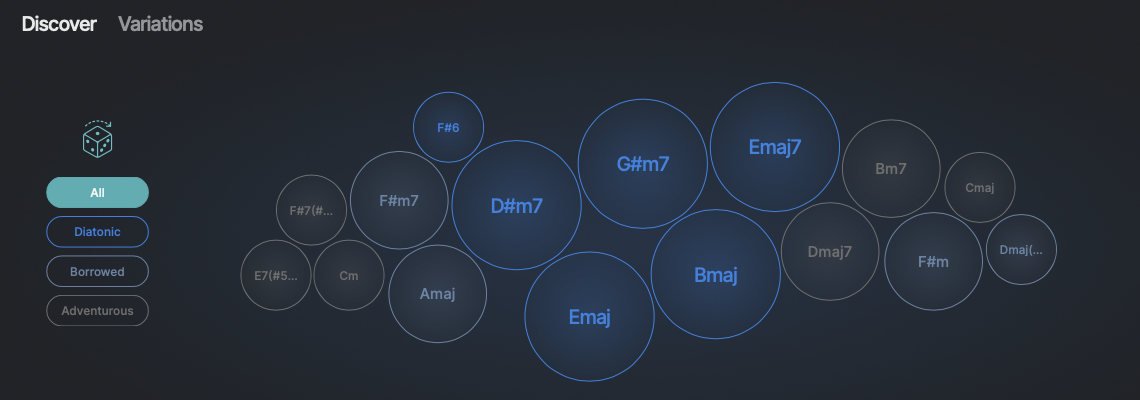
- The Discover Page: Intelligent chord suggestion tab that breaks progressions into Diatonic, Borrowed, and Adventurous options to quickly find fresh harmonic paths.
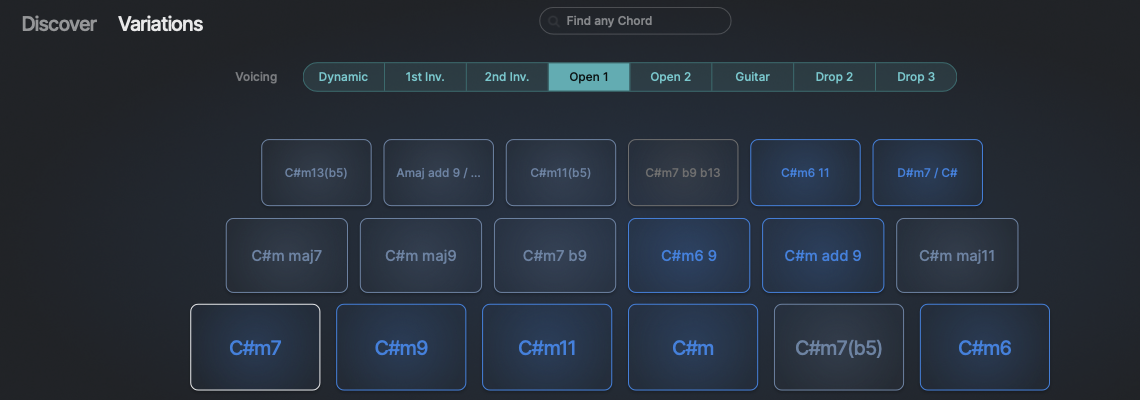
- The Variations Page: Instant chord transformation tools spanning Dynamic, Inversion, Open, Guitar, Drop 2, and Drop 3 voicings, alongside live variation testing and interactive note editing.
- Dynamic Sketch Lanes & Content: More options for building quick sketches and navigating expanded preset content.
- Utility Tweaks: Double-click for exact numerical BPM entry, right-click metronome gain control, master volume dBFS peak meters, and customizable default startup presets.
Hands-On Video Testing: Timeline Alignment & Slip Editing
I put together a full video testing out these new features in a real arrangement session, while also following up on the timeline feedback thread I previously posted regarding Scaler 3.3. Here's how those specific workflow requests held up in 3.4:
- Timeline Scene Alignment (Fixed): In 3.3, copying and zooming scenes caused chords to misalign along the grid. During testing in the video, scene alignment on the timeline worked as expected—copying and dragging scenes now properly snap and maintain consistent grid alignment.
- Slip Editing vs. Insert Scene at Playhead (Updated): True DAW-style slip editing (where dragging or pasting a scene slides adjacent blocks down the timeline to make room) is still not implemented. Instead, you can use the Insert Scene at Playhead Position feature. While this prevents overwriting existing chord blocks, it's far less intuitive for arranging full song structures than true drag-and-drop slip editing found in major DAWs.