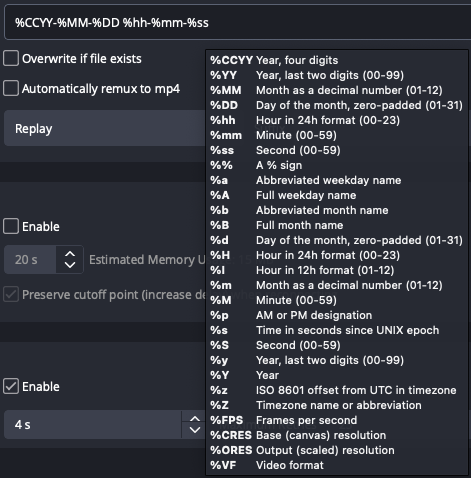
In the Advanced tab of the OBS Settings you can choose what the auto-generated filename for your recordings are. By default it will name your recordings by Year, Month (in numbers) and Date, and then show the time with hours:minutes:seconds. If you hover over the text field while selected, you’ll be able to see the full list of variables available to use in the filenames.